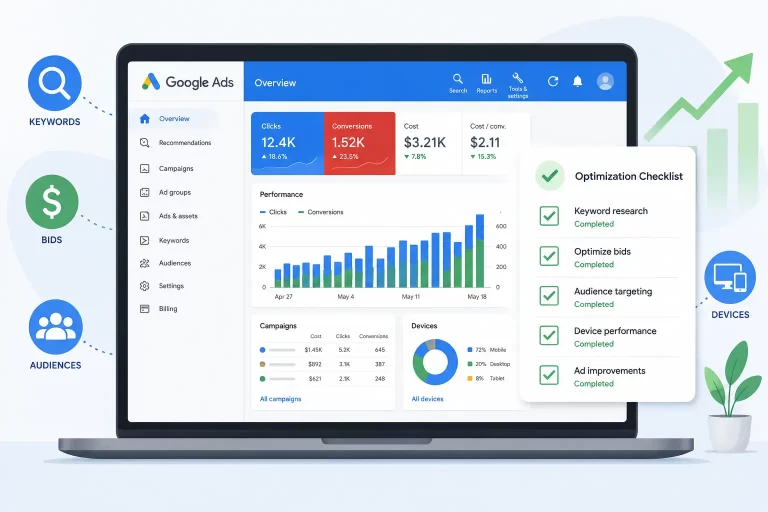
Running Google Ads without a regular optimization routine is like driving with your eyes half-closed. You might stay on the road, but you’re going to miss a lot of turns — and waste a lot of fuel.
Whether you manage campaigns for clients or run your own, this Google Ads optimization checklist covers everything you need to review — campaign level, ad group level, and keyword level — to consistently improve ROAS, reduce wasted spend, and keep your campaigns running at their best.
Let’s get into it.
Why Google Ads Optimization Is an Ongoing Process
Most advertisers set up their campaigns and check in only when something looks wrong. That’s a mistake.
Google Ads optimization is not a one-time fix. It’s an iterative, data-driven process. Every week, new search terms appear, audience behavior shifts, and your competitors adjust their bids. If you’re not reviewing your campaigns regularly, you’re reacting — not managing.
The good news? A structured checklist takes the guesswork out of it. You know exactly what to look at, in what order, and what action to take based on what you find.
Campaign Level Optimization
Start at the top. Campaign-level settings have the widest impact — a wrong setting here affects every ad group and keyword underneath it.
1. Compare Performance Against Targets
Before making any changes, take stock of where you are. Pull your total spend, conversions, CPC, cost-per-conversion, and conversion rate, and compare them against your client’s goals or your own benchmarks.
This gives you a baseline score for the campaign. Are you close to target? Above? Significantly below? Your answer shapes how aggressively you optimize.
2. Review Device Bid Adjustments
Check performance by device — Desktop, Mobile, and Tablet. If mobile CPA is significantly lower than desktop, increase the mobile bid adjustment to push more traffic there. If tablet is draining budget with zero conversions, dial it back or exclude it entirely.
Device behavior varies a lot by industry. A travel booking campaign often converts better on desktop. A local service business may see strong mobile intent. Let your data decide.
3. Review Audience Demographics Bid Adjustments
Go into your demographics report and look for patterns by age group and gender — but only act on segments with enough data to make the decision meaningful. A single age range with 20 clicks is not a signal. Look for trends across hundreds of impressions.
If the 18–24 age bracket doesn’t fit your target customer profile, reduce bids or exclude it. Avoid adjusting the “Unknown” segment unless the campaign is very tightly defined.
One important rule: bid adjustments stack on top of each other. A +50% device adjustment on top of a +50% demographic adjustment can push your effective CPC far beyond what you intended. Keep individual adjustments modest — rarely above 50% in either direction.
4. Review Ad Schedule (Dayparting)
Look at performance by day of the week and hour of the day. Are there specific time blocks that consistently drive clicks but no conversions? Are certain days significantly more efficient than others?
If a campaign is budget-limited and ROAS is tight, this is one of the most effective levers you have. Reduce bids (or go dark) during poor-performing hours and let the budget concentrate where it works. Even a modest reallocation here can meaningfully improve overall efficiency.
5. Audience Exclusions and Segmentation
Make sure you are not targeting the same users across multiple campaigns. Exclude your remarketing audiences from top-of-funnel campaigns so they don’t compete with your dedicated retargeting effort.
Also consider excluding users who have already completed the conversion goal — people who have booked a demo or signed up for a free trial don’t need to see that same ad again. Move them into a separate nurture campaign instead.
6. Network Settings
By default, campaigns may include Search Partners and the Display Network. For most search campaigns, especially those with tight targeting, these should be excluded. They often bring in lower-quality traffic.
If you’re struggling to get impressions or reach, you can test enabling Search Partners — but track performance separately and be ready to pull back if conversion quality drops.
7. Location Bid Adjustments
Review performance by location. If certain cities or regions show significantly better ROAS, increase bids there. If some locations are spending heavily with poor returns, reduce or exclude them.
Watch out for inflated location adjustments. A +200% increase on a location combined with other bid adjustments can turn a ₹150 max CPC into something far higher than you expect. Better to lower the base bid and adjust from there.
8. Bidding Strategy Check
This is one of the most overlooked settings. Confirm that the campaign is using the right bid strategy for its goals. A campaign meant to run on Target CPA should not be accidentally set to Target Impression Share. It sounds basic — but it happens more often than you’d think, especially on accounts that multiple people manage.
9. Conversion Settings
Check which conversion actions are selected for each campaign. You may want campaign-specific conversion tracking rather than account-level defaults — especially if different campaigns serve different funnel stages.
Also review conversion windows and the “one conversion vs. every conversion” setting. For high-value purchases, track every conversion. For top-of-funnel actions like whitepaper downloads, limit to one per user to avoid inflated conversion counts.
Ad Group Level Optimization
Once the campaign settings are clean, move down to the ad group level.
10. ROAS Review by Ad Group
Segment your ad groups by ROAS and categorize them into three buckets: strong performers (scale), near-target performers (optimize), and poor performers (pause or restructure).
Don’t rush to kill an ad group that has driven conversions but sits below target ROAS. First, dig into the keyword level to see if a single keyword is responsible for most of those conversions. You may be able to rescue it.
11. Bid Management at Ad Group Level
Adjust default max CPC bids based on ROAS performance. A simple matrix makes this consistent:
- ROAS more than 50% above target → increase bid by 30%
- ROAS 20% above target → increase bid by 15%
- ROAS 20% below target → decrease bid by 15%
- ROAS more than 50% below target → decrease bid by 30%
Always base this on a meaningful time window — at least 21 days of data, more for lower-traffic campaigns.
12. Impression Share and Click Share
Add the Competitive Metrics columns and look at impression share relative to click share. A high impression share with a low click share tells you the ad is showing but not compelling people to click — an ad copy problem, not a bidding problem.
High-performing ad groups like branded campaigns should hold a strong impression share. If they’re leaking, investigate budget caps or bid constraints.
Keyword Level Optimization
This is where the most granular, highest-impact work happens.
13. Keyword Harvesting
Open your Search Terms Report and look for search queries that have driven meaningful volume — ideally more than 10 clicks — and are not yet in your keyword list. Add the best ones as exact or phrase match keywords in the most relevant ad group.
Use a date range of at least 30 days to find enough signal. Don’t go overboard with very long, hyper-specific phrases — they rarely match again and just add noise to your keyword list.
14. Negative Keyword Audit
Run the same Search Terms Report over a 60–90 day window and filter for high-spend, low-conversion terms you haven’t already excluded. A filter like Cost > ₹3,000 and Conversions < 1 and Added/Excluded = None is a fast way to find the worst offenders.
Sort by highest cost first. Add irrelevant terms as negatives at the campaign level — if you add them only at the ad group level, those same terms will surface in other ad groups.
15. Keyword Bid Adjustments
Apply the same ROAS-based matrix used at the ad group level, but now at the individual keyword level. Some keywords punch far above their weight — they deserve higher bids. Others quietly drain budget — bring them down or pause them.
Review at least the last 21 days before making keyword bid changes.
16. Quality Score Review
Add the Quality Score column and flag any keyword scoring below 7 out of 10. Quality score is influenced by the keyword’s relevance to the ad, the ad’s relevance to the landing page, and historical CTR.
A higher quality score means a lower CPC for the same position. Work on the ad copy and landing page first — those have the most direct impact. If you’ve genuinely optimized everything and the score still won’t move, don’t obsess over it. Move on to higher-impact tasks.
17. Ad Testing
Are you currently running a live ad test in each ad group? Pause ads that are clearly losing. Replace them with new variations that test a different headline angle, a stronger CTA, or a different value proposition.
Ad testing should be ongoing, not something you do once at launch and forget.
18. Ad Extensions (Assets) Review
Check that all relevant ad extensions are active and up to date:
- Sitelinks (pointing to live, relevant pages)
- Callouts (feature highlights, USPs)
- Structured Snippets (product categories, service types)
- Location extensions (if applicable)
- Seller ratings (if available)
Extensions increase your ad’s real estate on the search results page and improve CTR. An account with sparse extensions is leaving performance on the table.
19. Landing Page Check
Click your own ads. Do they land where you expect? Is the page loading correctly? Does the content match the ad’s message and keyword intent?
A broken or mismatched landing page is one of the most expensive problems in a Google Ads account — and one of the simplest to miss. Make it part of your regular routine.
How Often Should You Run This Checklist?
Here’s a practical schedule:
- Weekly: Search terms report, negative keywords, ad performance, budget pacing
- Bi-weekly: Device and demographic bid adjustments, ad schedule review
- Monthly: Full keyword audit, ROAS review by ad group, quality score check
- Quarterly: Campaign structure review, landing page audit, bid strategy evaluation
Final Thought
Google Ads rewards consistency. The accounts that perform best are not the ones with the cleverest setups — they’re the ones that get reviewed, adjusted, and improved on a regular schedule. This checklist gives you the framework to do exactly that.
Use it as a working document. Adapt the bid adjustment matrix to your client’s targets. Build your own review cadence. The goal is not to change everything at once — it’s to make the right changes, at the right time, with enough data to back them up.
That’s how you build campaigns that compound over time.